Industrial manufacturerUI/UXFront-end dev2026
Kognetra
A maintenance knowledge platform that turns tacit shop-floor know-how into instant, searchable answers.
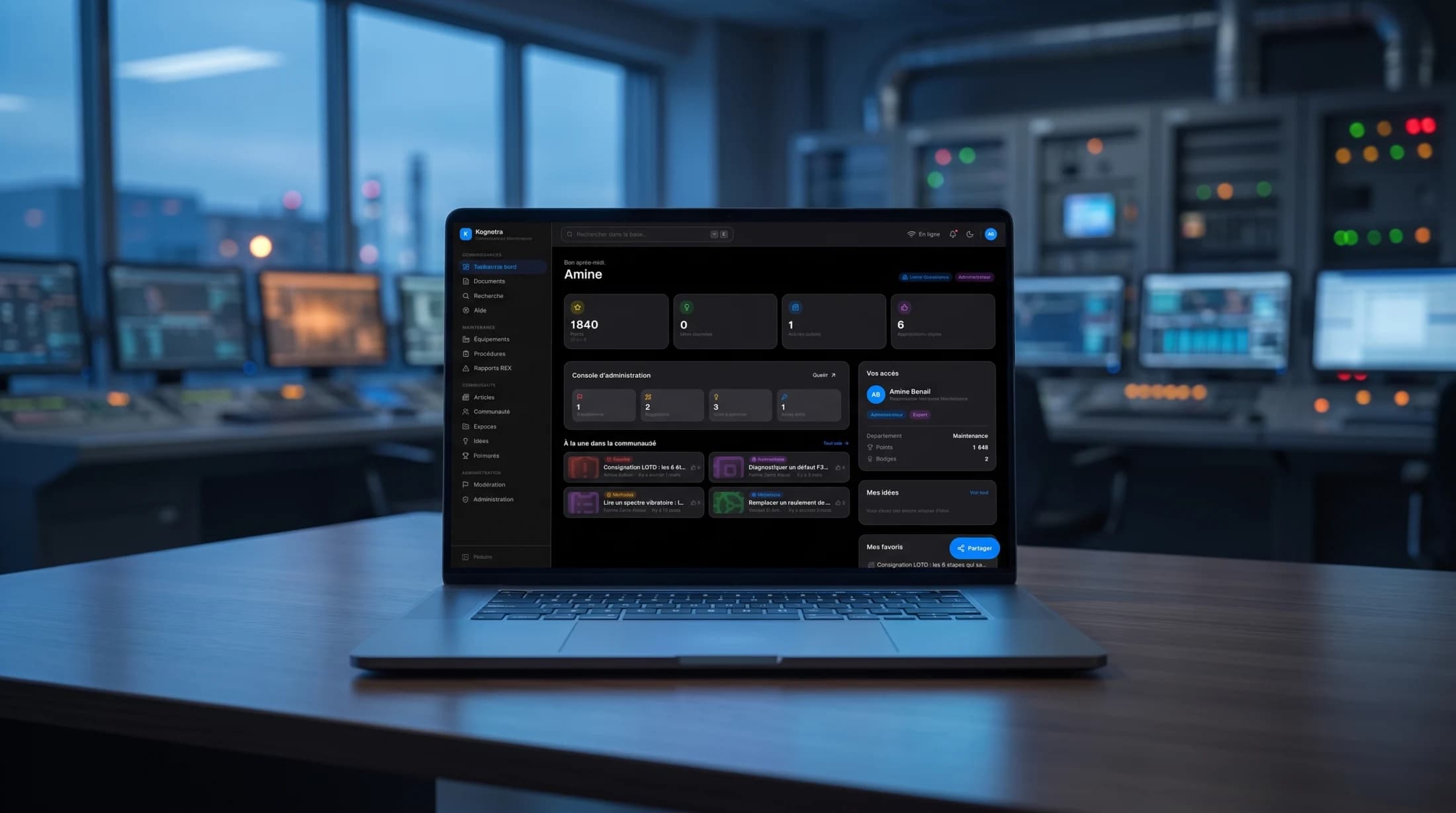
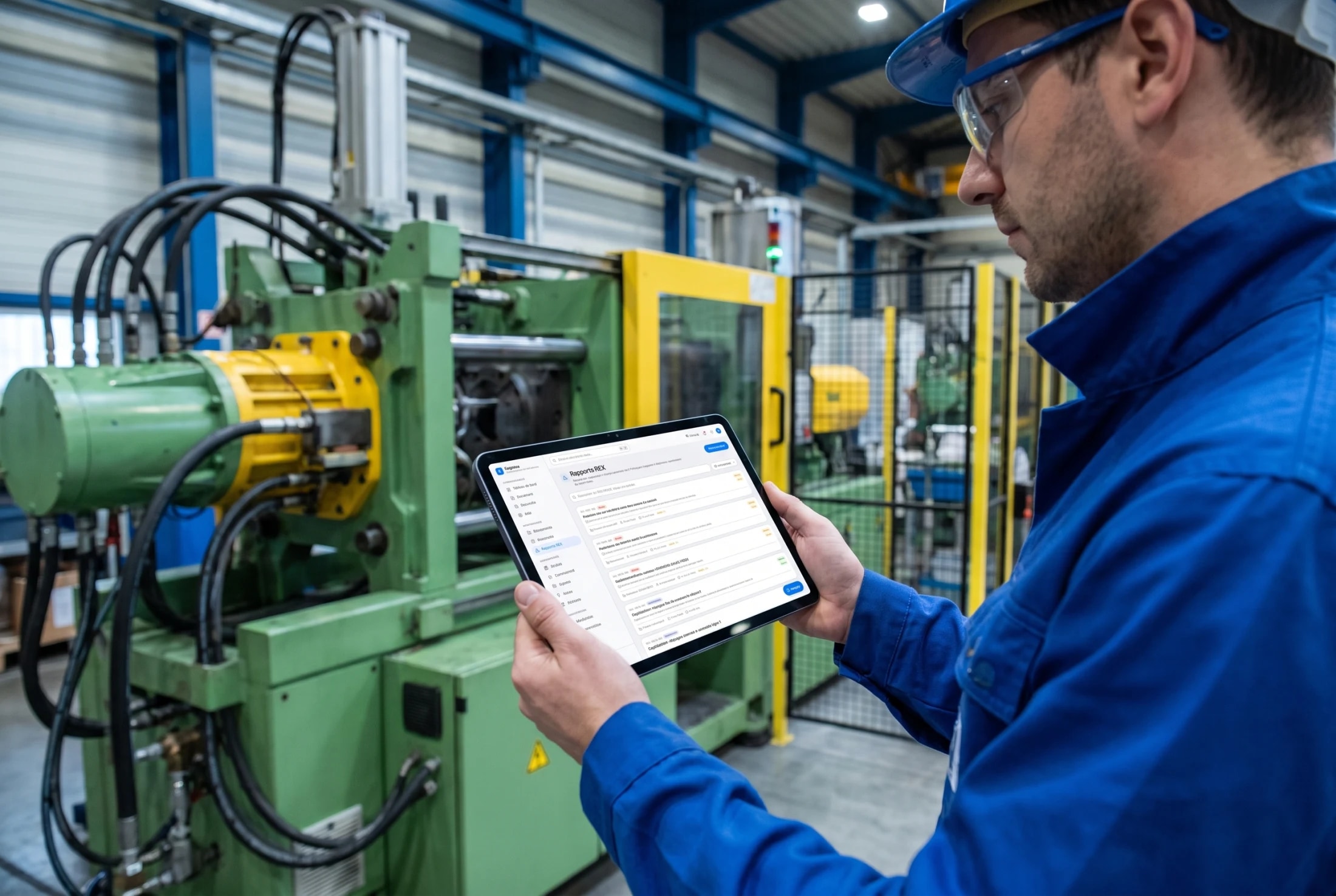
Kognetra is a knowledge platform for industrial maintenance. It captures the tacit know-how that lives in veteran technicians, keeps safety procedures current, and gives every technician instant answers at the machine, online or offline. I designed and built it end to end, front and back, as a production-quality concept modelled on a real manufacturing plant.
01
The Problem
In a plant, the most valuable maintenance knowledge is the least written down. It lives in the heads of a few veteran technicians, and it walks out the door when they retire. Procedures sit in scattered PDFs, incident fixes are never captured, and a technician facing a stopped machine has nowhere fast to look.
The brief was to turn that tacit, scattered knowledge into one calm, searchable system a technician would actually reach for at the machine, and that a methods engineer would trust to keep safety procedures current.
02
The Solution
Kognetra pulls procedures, equipment, incident reports and articles into a single workspace, organised into Knowledge, Maintenance, Community and Administration. A global search answers in milliseconds, and a field mode keeps it working on the shop floor with no connection.
On top of the reference base sits a living layer: return-of-experience reports built on real failure-analysis methods, an editorial article space, and light gamification that rewards people for writing down what they know.
Impact
- One connected maintenance workspace
- 14 modules
- Designed and built end to end, front and back
- Full-stack
- Answers at the machine, connected or not
- Offline-first
01Discovery
The knowledge that walks out the door
The project started on the floor, not in a design tool. Following how a maintenance team actually works surfaced the same pattern everywhere: when a machine stops, the fastest fix is not in any system, it is in the head of whichever veteran technician happens to be on shift. Procedures sit in scattered PDFs, incident fixes are never written down, and the plant’s real memory retires one person at a time.
The second finding set the bar for the interface. A technician at a stopped machine has minutes, greasy hands and, in half the plant, no signal. Whatever I built would be judged in that moment: if the answer takes longer to find than the veteran takes to ask, the system loses and the old habit survives.
Deep dive
That reframed the product. The problem was not storage, plants have file servers, it was retrieval under pressure and capture without friction. Every design decision after traces back to those two verbs: find it in seconds at the machine, and make writing it down feel worth the effort.
02Framing
Fourteen modules, four spaces, one shell
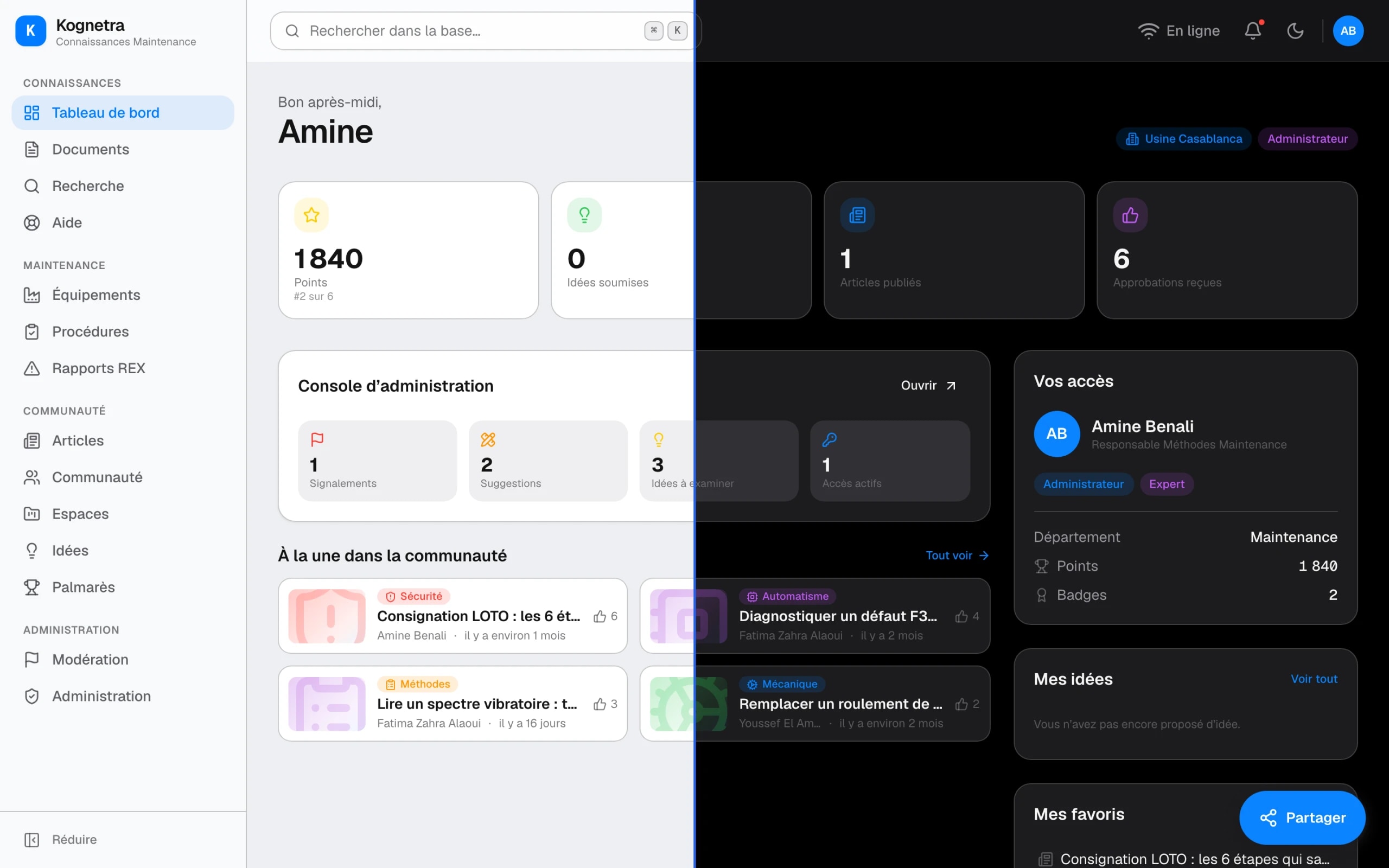
The platform is framed as four spaces under one shell, grouped the way a maintenance team thinks: Knowledge for procedures, articles and search; Maintenance for equipment, interventions and return-of-experience; Community for the feed, workspaces and recognition; Administration for accounts and quality. The dashboard adapts to who is looking, an administrator, an expert or a floor technician.
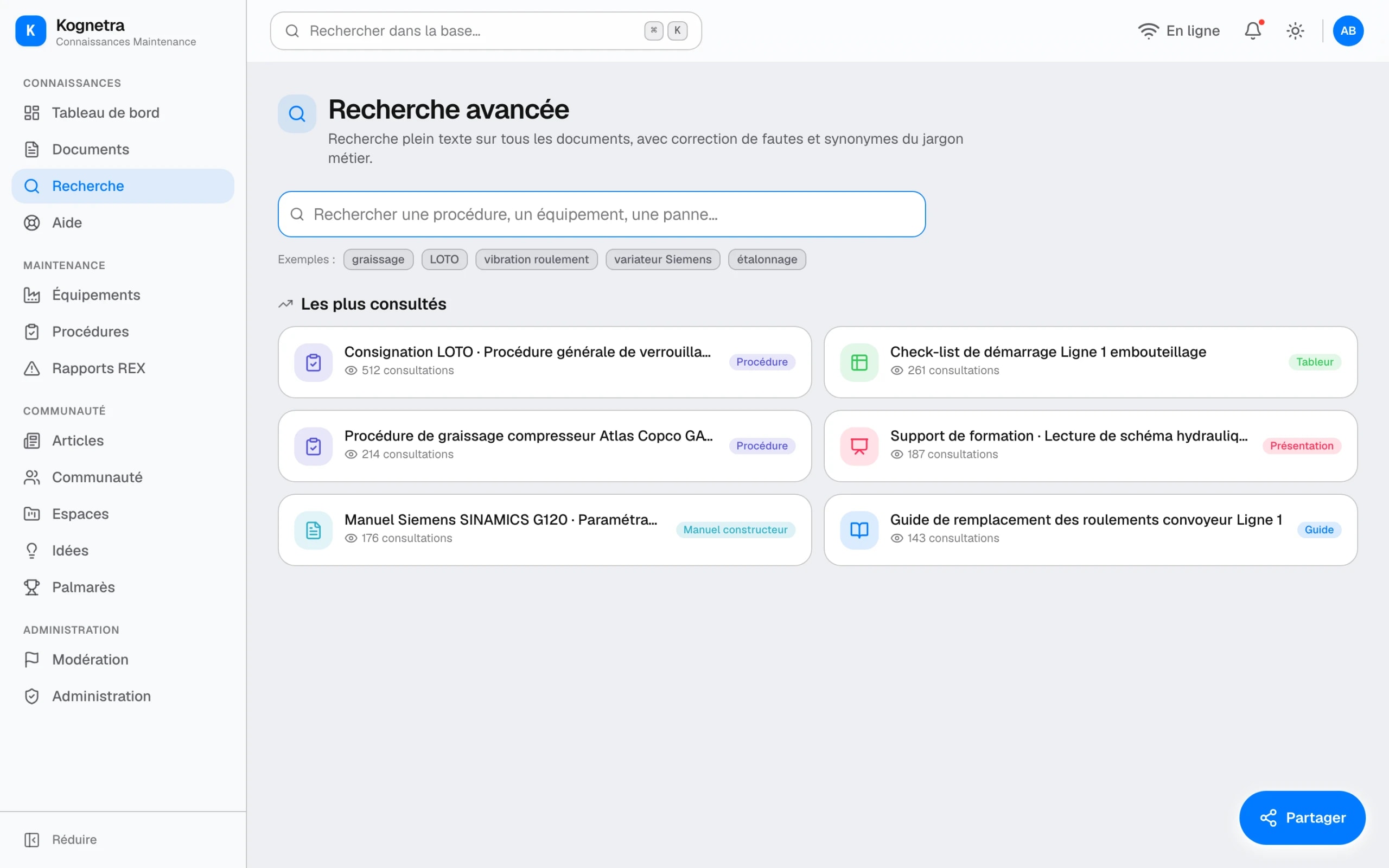
Search sits deliberately above navigation. A global command palette covers the whole base from anywhere, because a technician under pressure will not walk a menu tree: they type “roulement grippé” and the procedure, the past incident and the article come back in one list, in milliseconds, online or off.
- Procedures
- Articles
- Documents
- Global search
- Equipment register
- Interventions
- REX reports
- Safety steps
- Feed and workspaces
- Idea box
- Points and badges
- Leaderboard
- Accounts and roles
- Moderation
- Analytics
03Exploration
A wiki, a module, or a field companion
The obvious references all existed, and all failed the floor test. I walked the stopped-machine scenario through three shapes: a wiki like the intranets plants already ignore, a records module like the CMMS screens technicians already avoid, and a search-first field companion built around the question rather than the archive.
The wiki organises knowledge for the people who file it, not the ones who need it; five clicks deep is five clicks too many with a line stopped. The records module treats knowledge as rows: accurate, complete and unread. The field companion inverts both: one search field, answers ranked for the machine at hand, and navigation demoted to a secondary path.
Deep dive
Choosing search-first had a cost worth naming: it only works if the content is structured enough to rank. That is why procedures, REX and equipment are typed objects with real fields rather than free pages. The structure exists so the search can afford to be this simple.
- Organised by the people who file
- Five clicks deep at a stopped machine
- Goes stale unnoticed
- Accurate, complete and unread
- Rows, not answers
- Built for reporting, not repair
- One field, ranked answers
- Works at the machine, offline
- Navigation demoted to fallback
04Maintenance
Procedures, equipment and REX
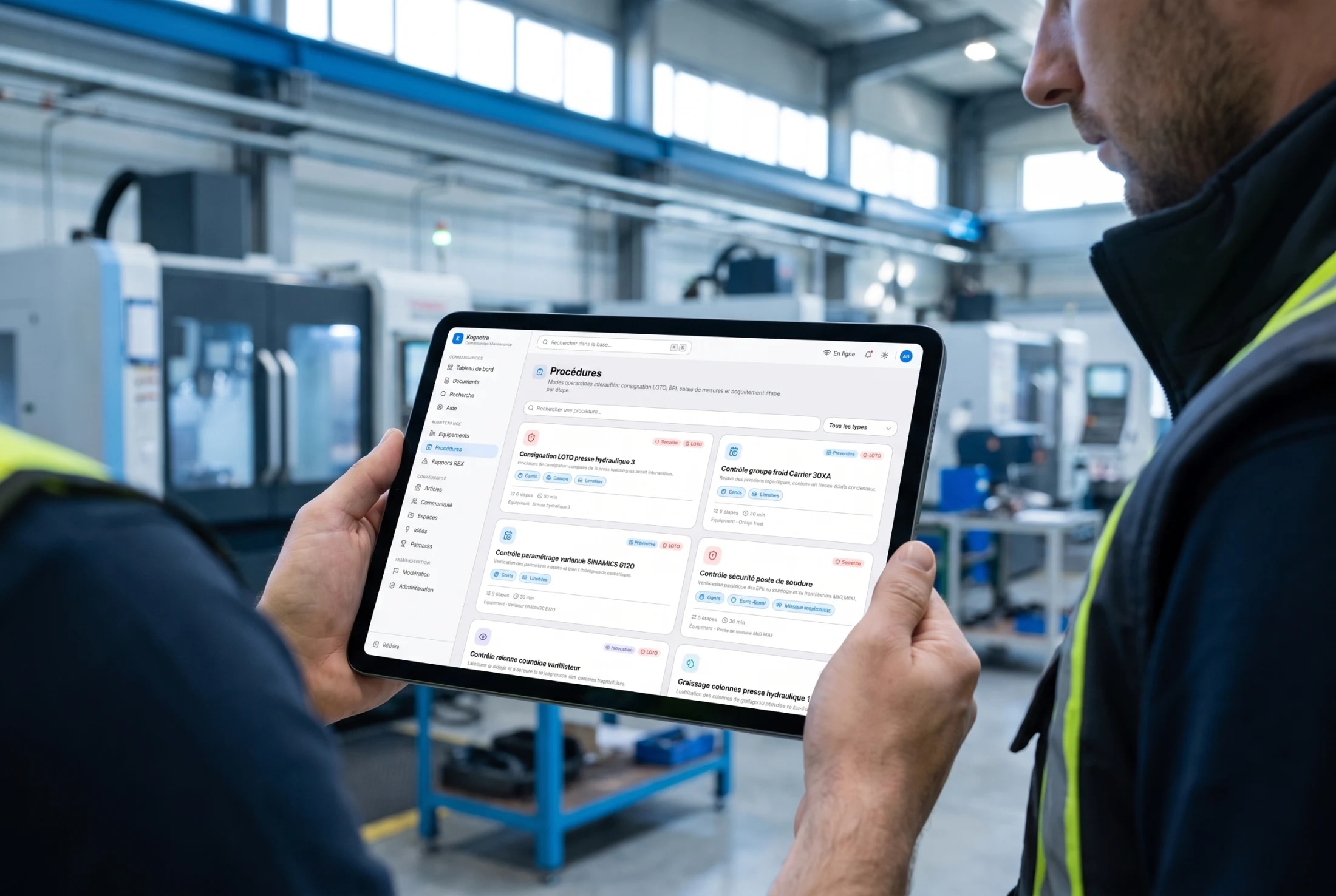
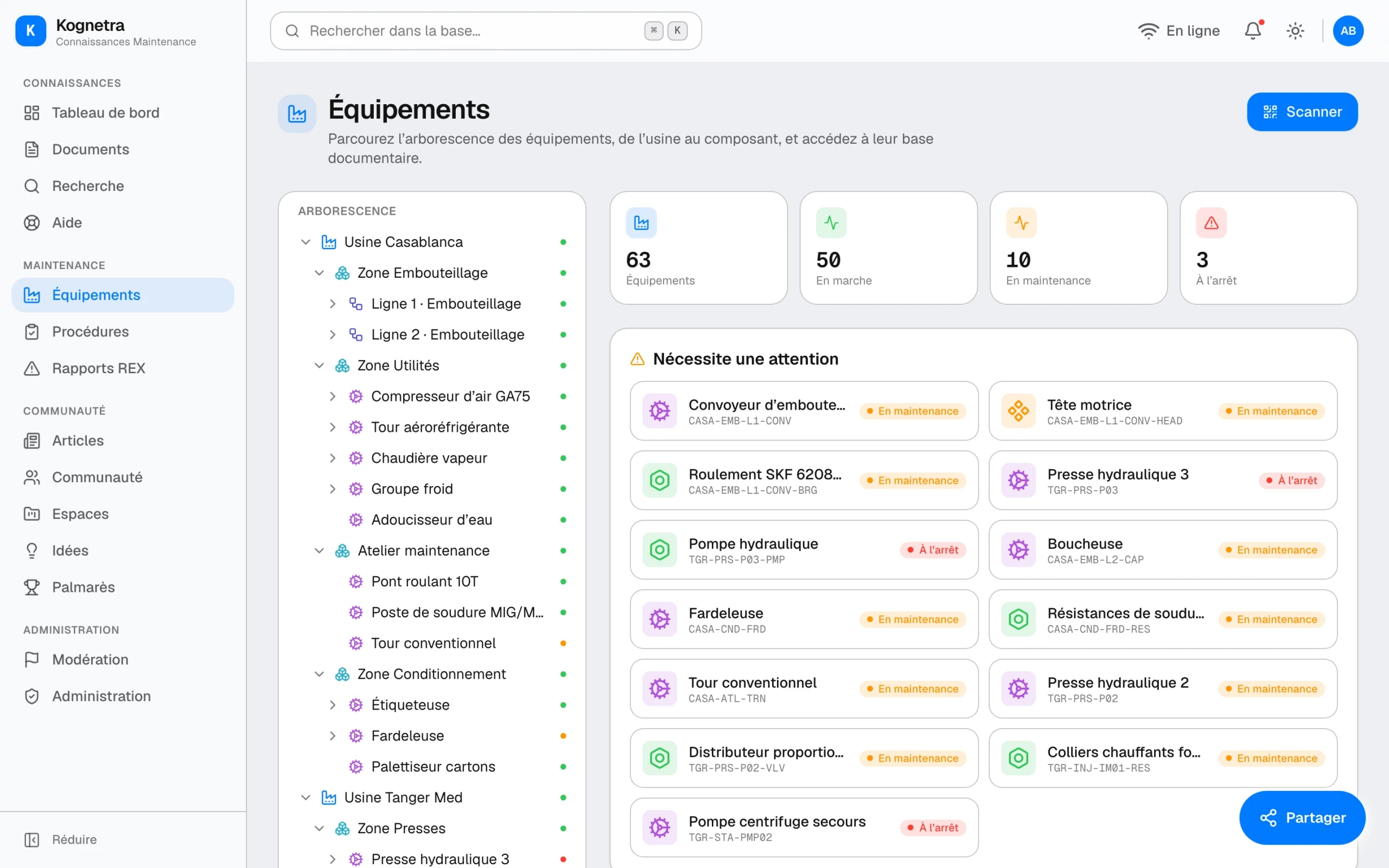
The maintenance core is domain-specific, not a generic wiki. Procedures carry their lockout-tagout safety steps in the open, where a rushed technician cannot miss them; an equipment register anchors every piece of knowledge to a real asset; and return-of-experience reports capture failures with structured methods, five whys and Ishikawa, so an incident becomes reusable knowledge rather than free text.
The REX pipeline is where designing the process mattered more than the screen. A failure only becomes knowledge if it is captured while fresh, analysed with a method and filed against the machine, so the report walks the technician through exactly that, and the result is found by the next person on the next shift.
- IncidentTechnicianThe failure is logged at the machine, while the details are fresh.
- AnalysisMethodFive whys and Ishikawa turn symptoms into a root cause.
- ReportExpertThe REX is written once, reviewed, and linked to its equipment.
- FoundNext shiftThe fix surfaces in search, on the asset, at the next stopped machine.
05Community
The reason people write things down
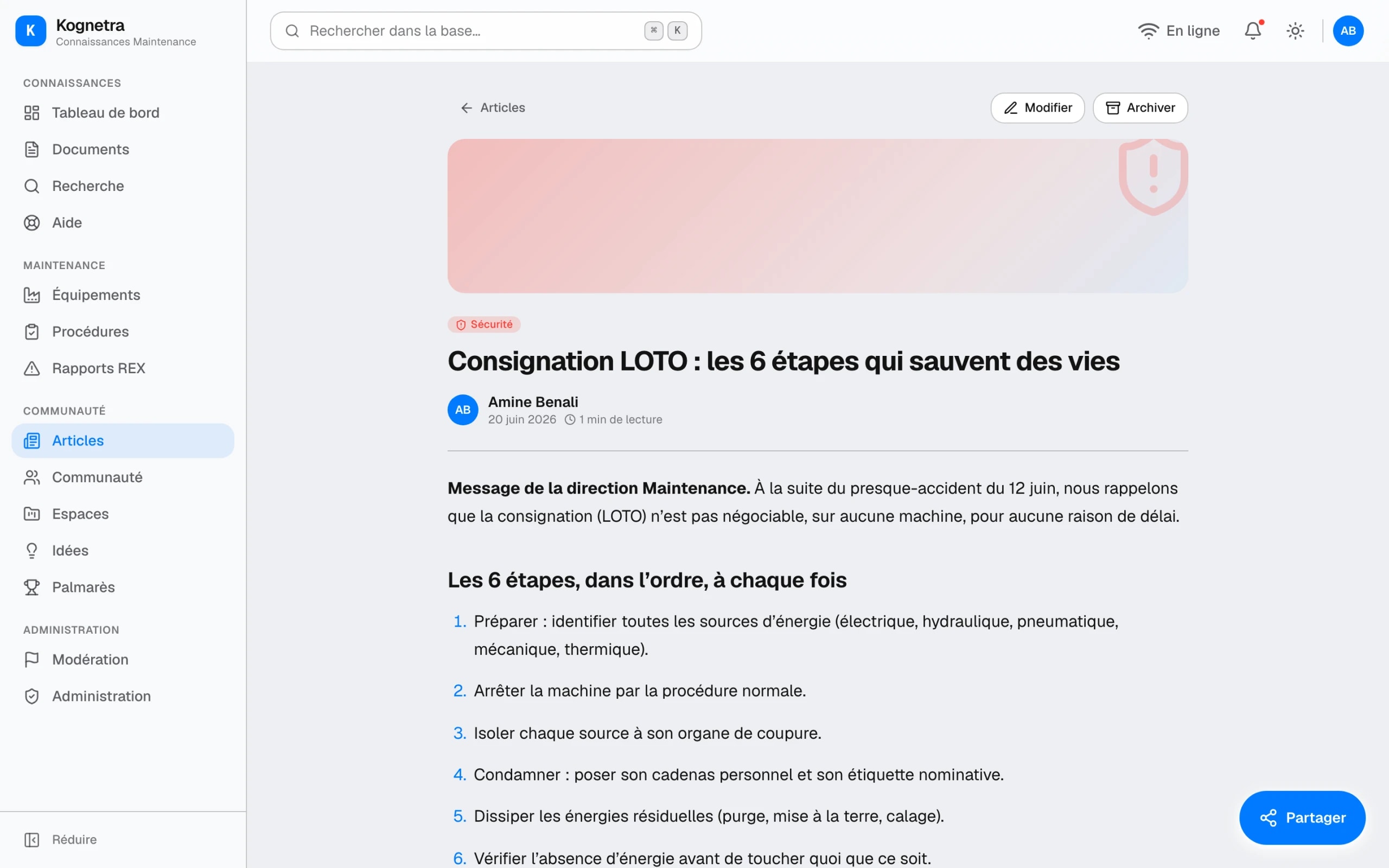
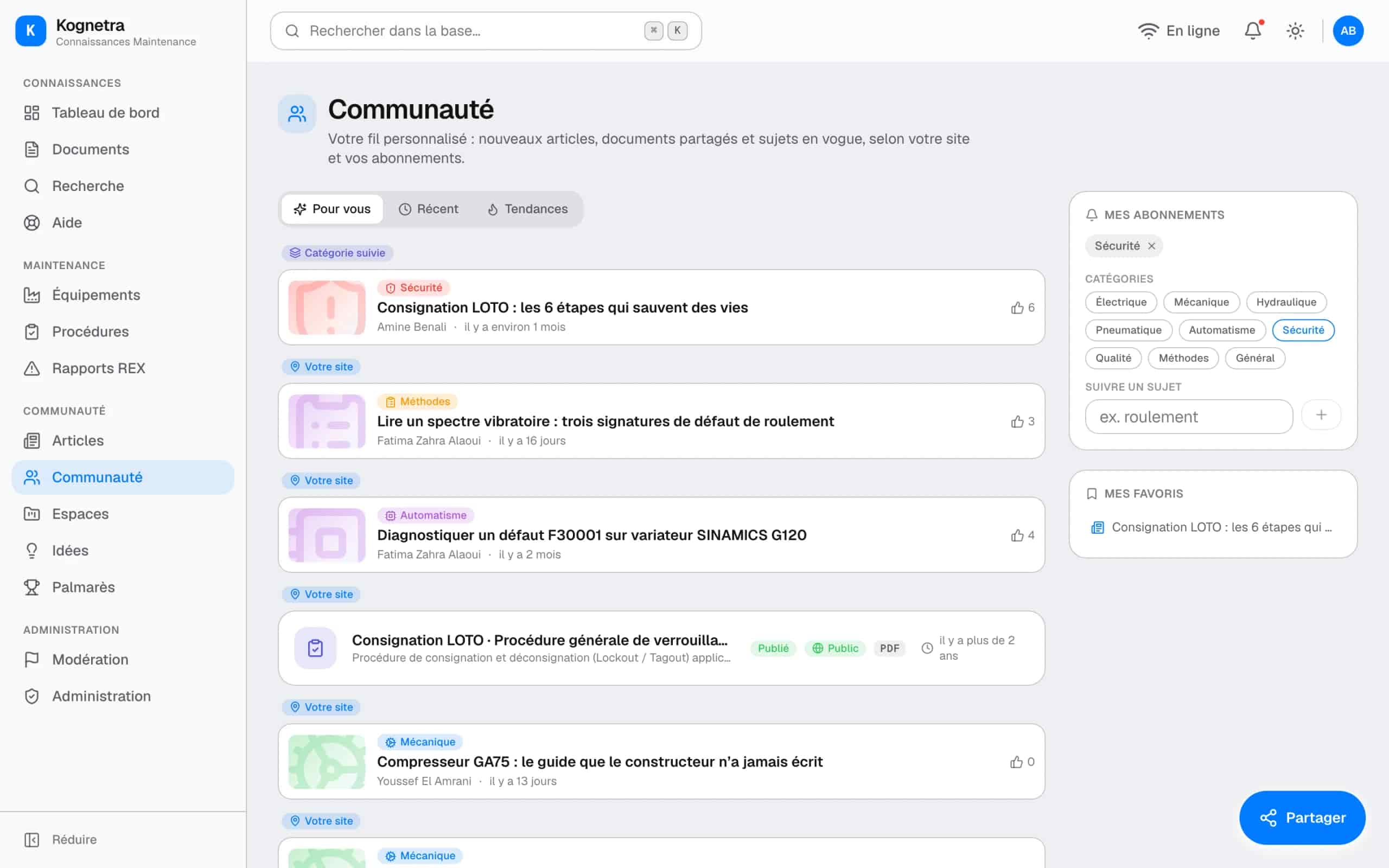
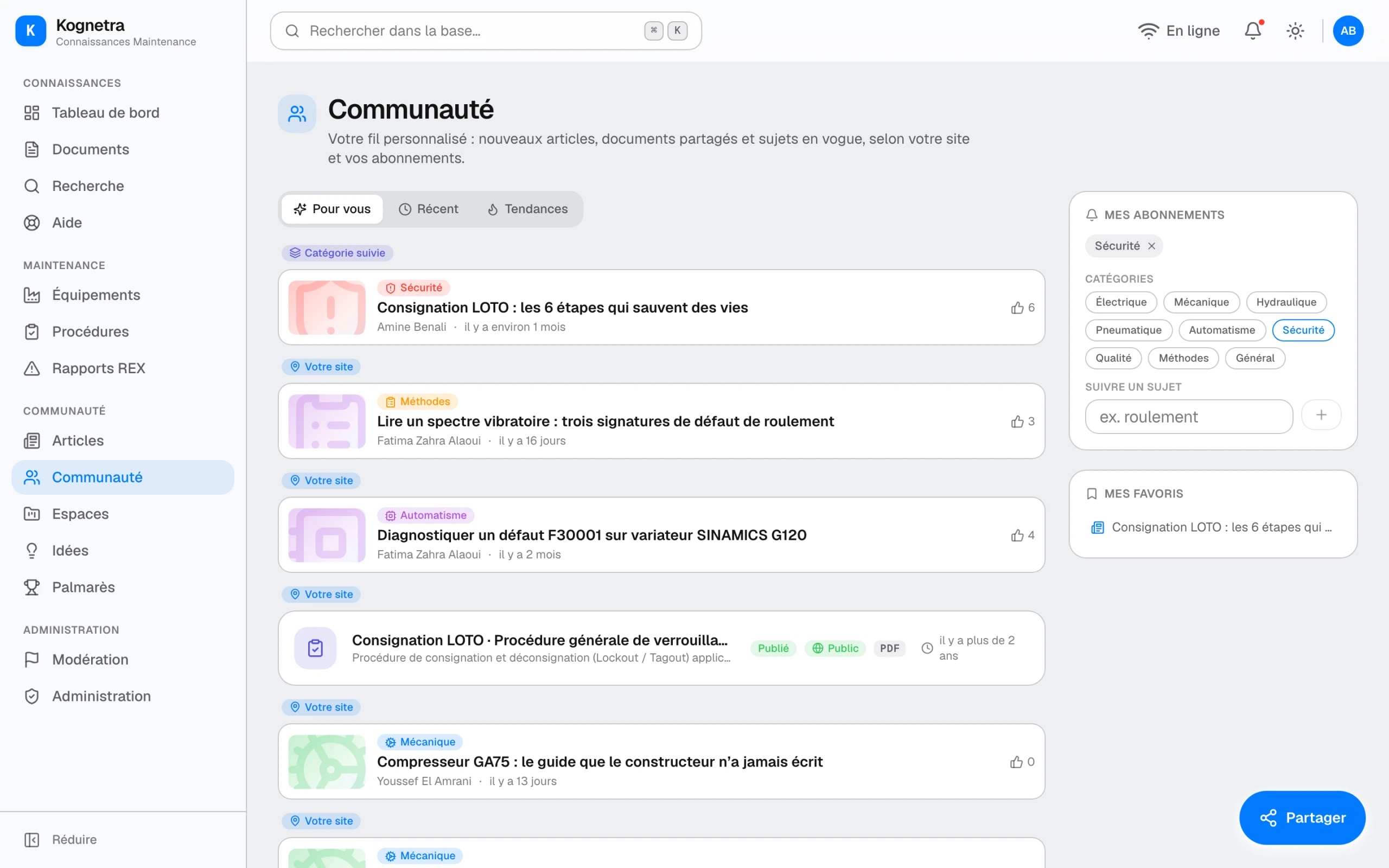
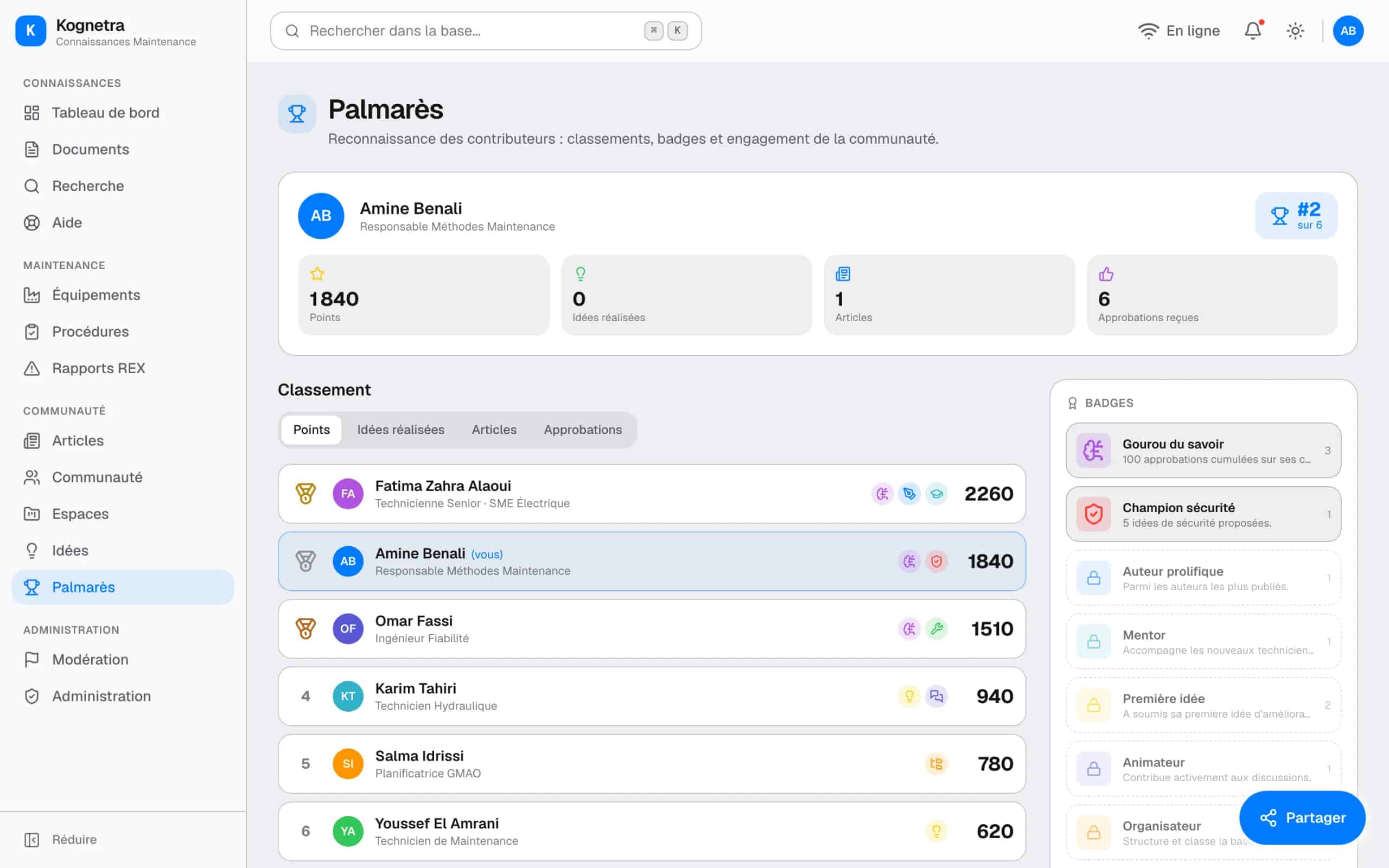
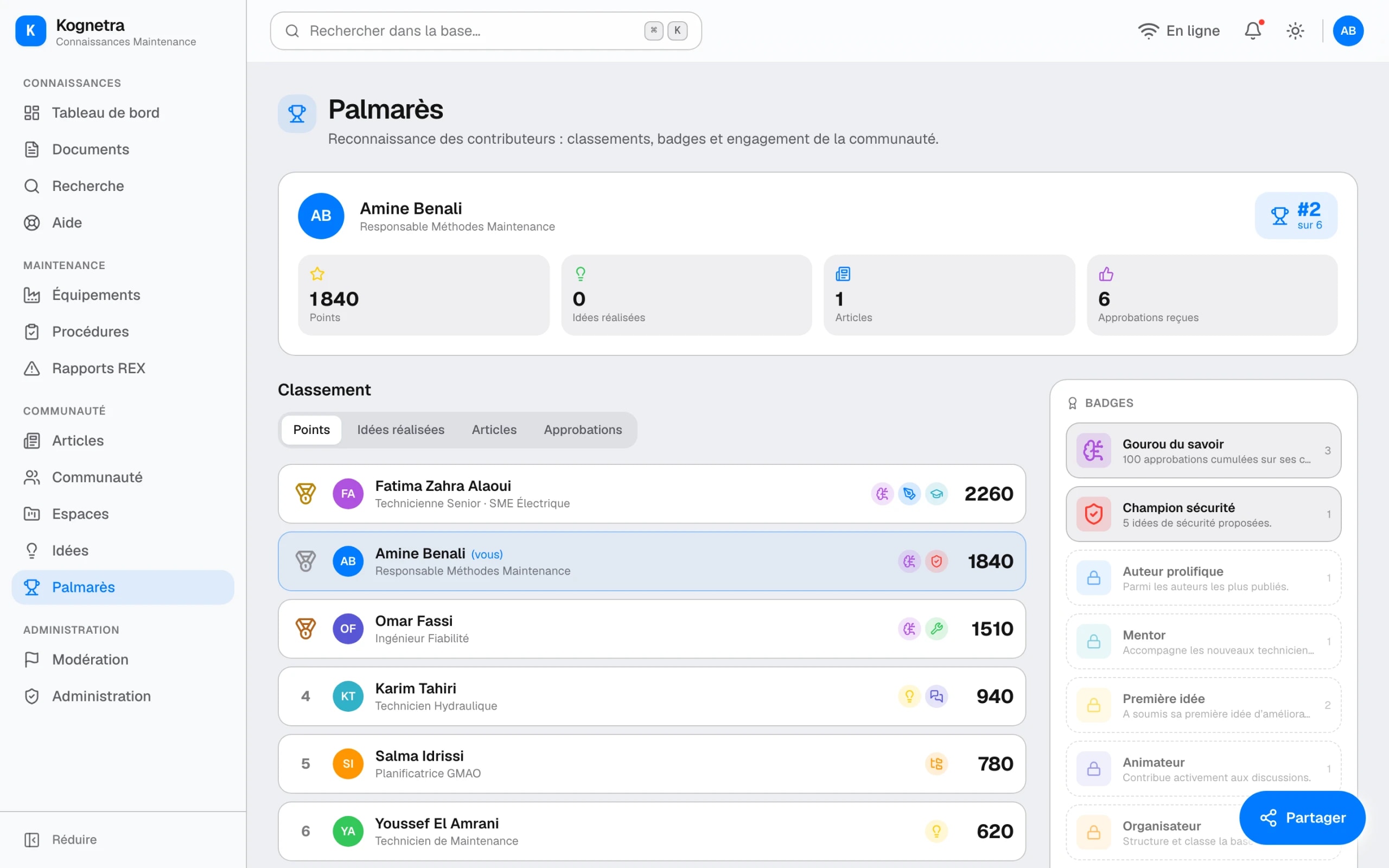
The hardest problem in any knowledge system is not reading, it is writing. The living layer exists to solve that: an editorial article space that makes hard-won fixes feel worth publishing, a community feed, workspaces and an idea box that keep the base moving, and light gamification, points, badges and a leaderboard, that makes contribution visible.
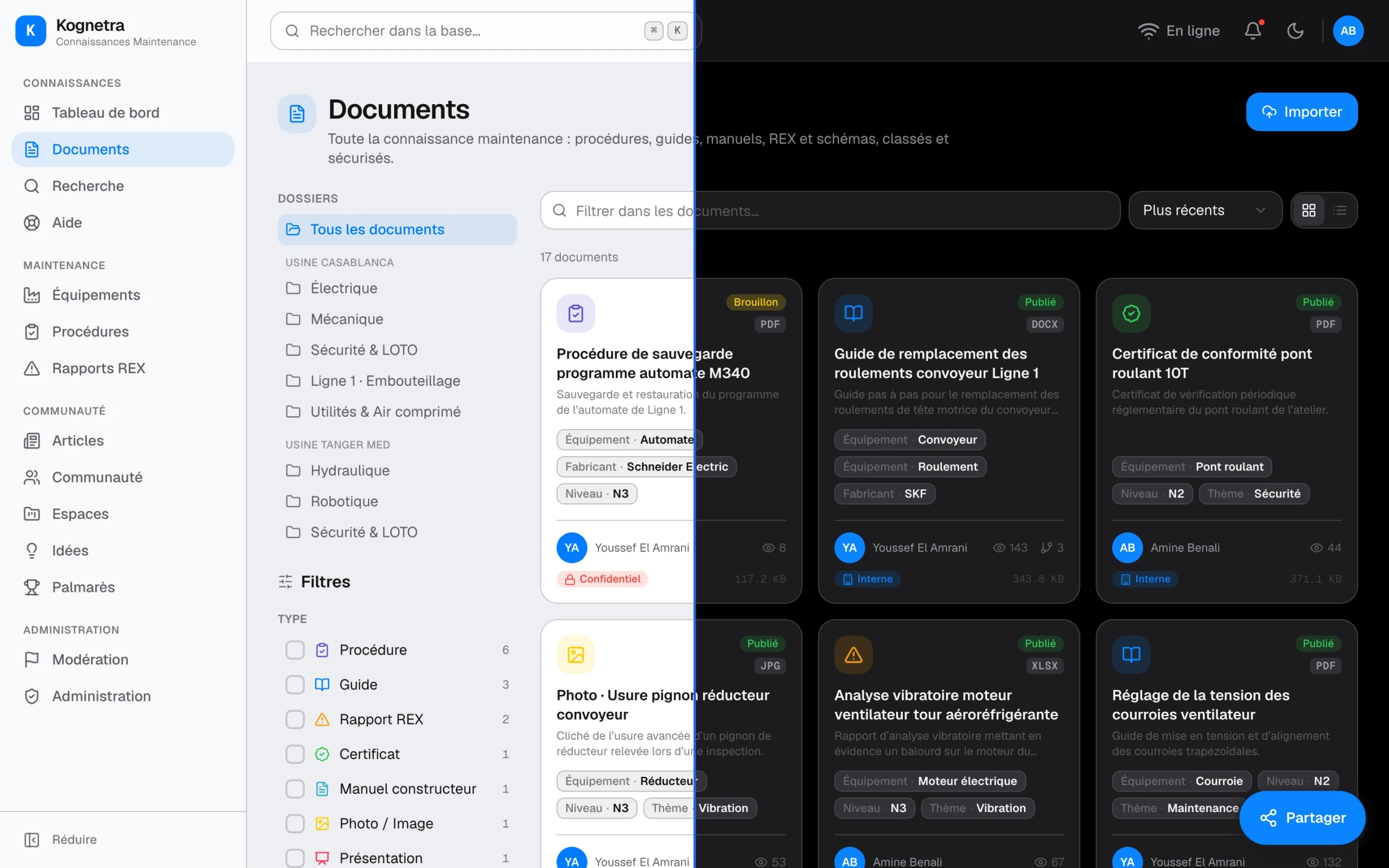
Recognition is designed as the engine, with quality control around it: moderation and an admin console keep the standard high, so the leaderboard rewards useful writing rather than volume. And the whole product is designed in light and dark from one token system, so the plant office and the dim control room both feel native.
06Reflection
What a solo build settled
Kognetra shipped as a production-quality concept, designed and built end to end, front and back, fourteen modules in light and dark. Working alone across design and code kept the loop honest: every structure I drew I then had to build and search against, which killed several elegant taxonomies within days.
The lesson I keep is about where knowledge products fail. They do not fail at the database; they fail at the moment of writing and at the moment of need. Designing for those two moments, recognition on one side, a stopped machine on the other, is what the whole system hangs from.